How To Apply For A Vault Subscription
You will need to fill out an application. Calibre Press vets all applicants to verify you are a qualified government – law enforcement agency. To find out what’s necessary to apply, please see our Vault Purchase Information Page.
Can My Agency Have Multiple Administrators?
Yes! You will just need to provide the names and emails of the agency personnel you will like to manage your officers. If you already have an agency account, please email us to add additional admins.
How Do I Add Officers To My Agency?
1. Click on "My Dashboard".
2. Click on "Manage My Officers".
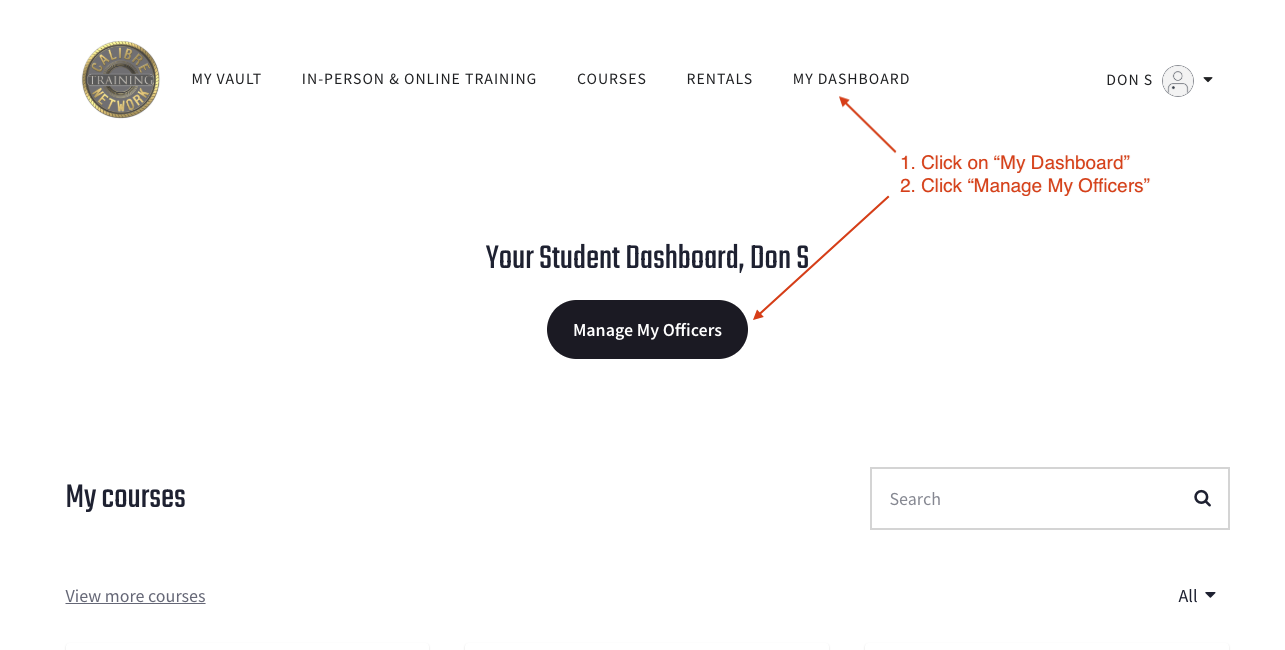
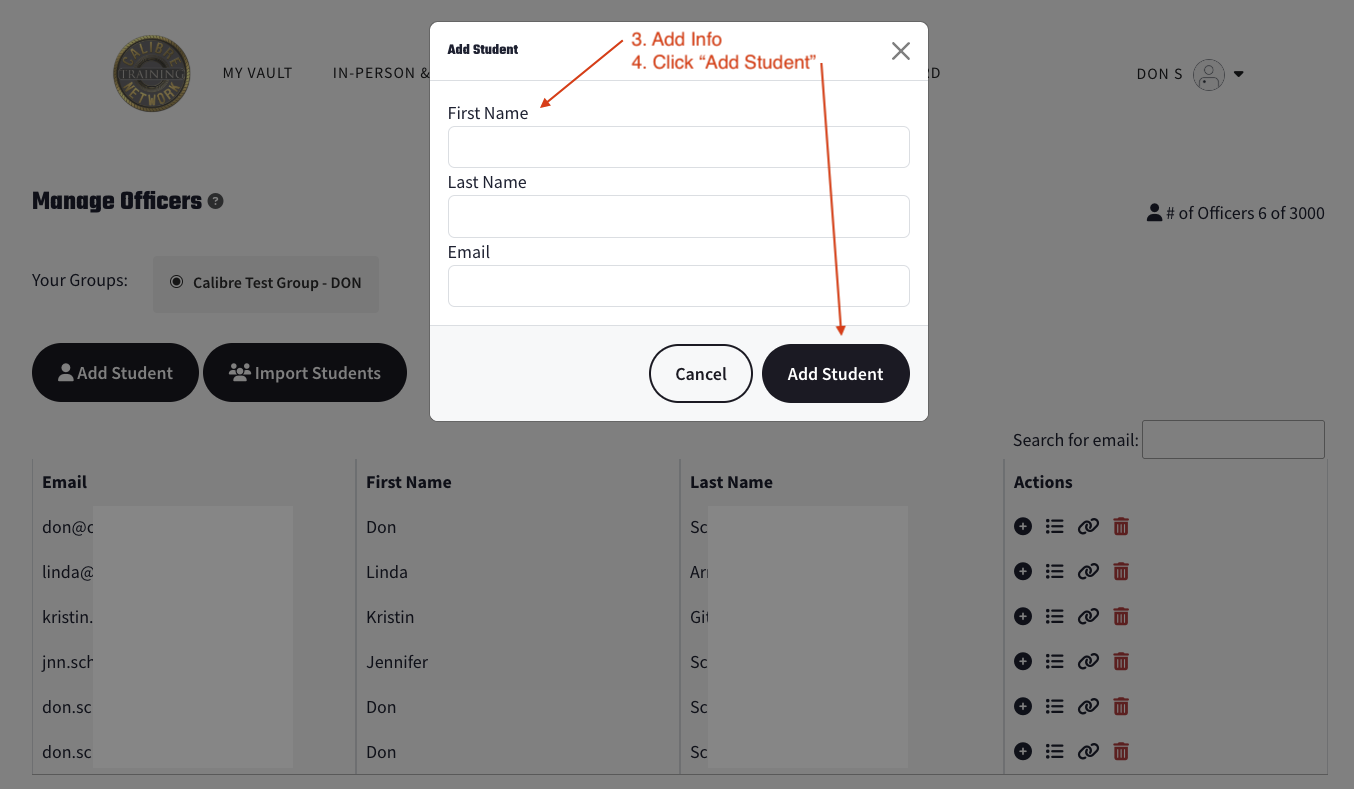
3. On the Add students manually by clicking on the Add Student button. You can then enter their name and email.
4. You can also import a list of students by creating a CSV file that includes their first name, last name and email (the header of this file must have the columns labeled "first_name", "last_name", and "email". There is also a link to a CSV template that you can use for the import. You will not be able to import the CSV file if it will exceed your available limit.
Please email us if you need to increase your limit.
How Do I Enroll An Officer In A Course Or Video?
By default, we assign all courses to all officers because agency leaders did not want to go in and hand-select every video for every officer, given how many we have. Most agencies allow officers to pick and choose what they review.
If the agency leader would like to hand-select individual videos for certain officers, they should email us, and we will remove that officer from all videos.
This allows the agency leader to go in and hand-select the video they would like to view, which will appear individually on their dashboard.
The individual officer will see all videos in the Vault, but they cannot view them until they are assigned.
This allows the agency leader to go in and hand-select the video they would like to view, which will appear individually on their dashboard.
The individual officer will see all videos in the Vault, but they cannot view them until they are assigned.
The alternative to removing the individual officer from viewing all the videos is to tell or email the officer the title of the videos they would like them to watch.
The officer can go to the Vault and do a quick search to find the video and complete it. The agency leader would then be able to see the dates in which the video was complete.
The officer can go to the Vault and do a quick search to find the video and complete it. The agency leader would then be able to see the dates in which the video was complete.
How does an agency leader assign an officer an individual course?
Make sure you are on the "Manage My Officers" page by going to "My Dashboard" then "Manage My Officers".
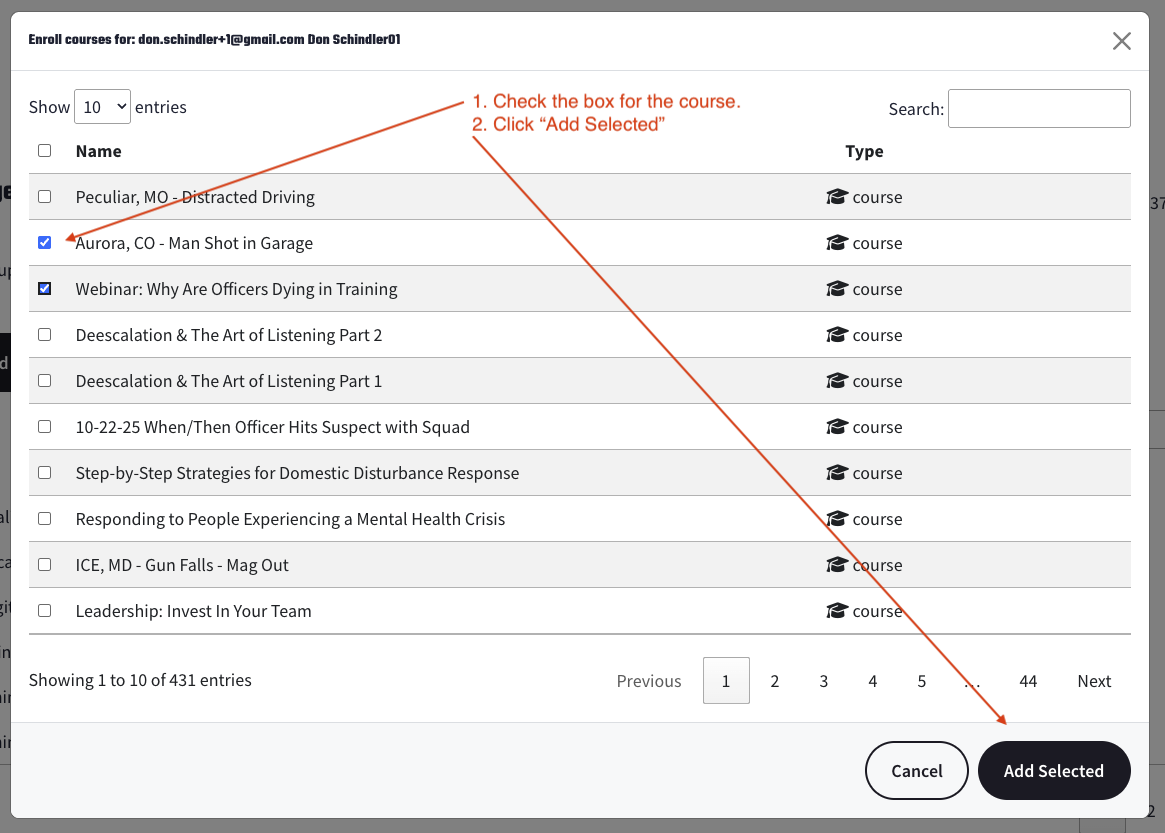
1. Click on the "+" sign to add courses.
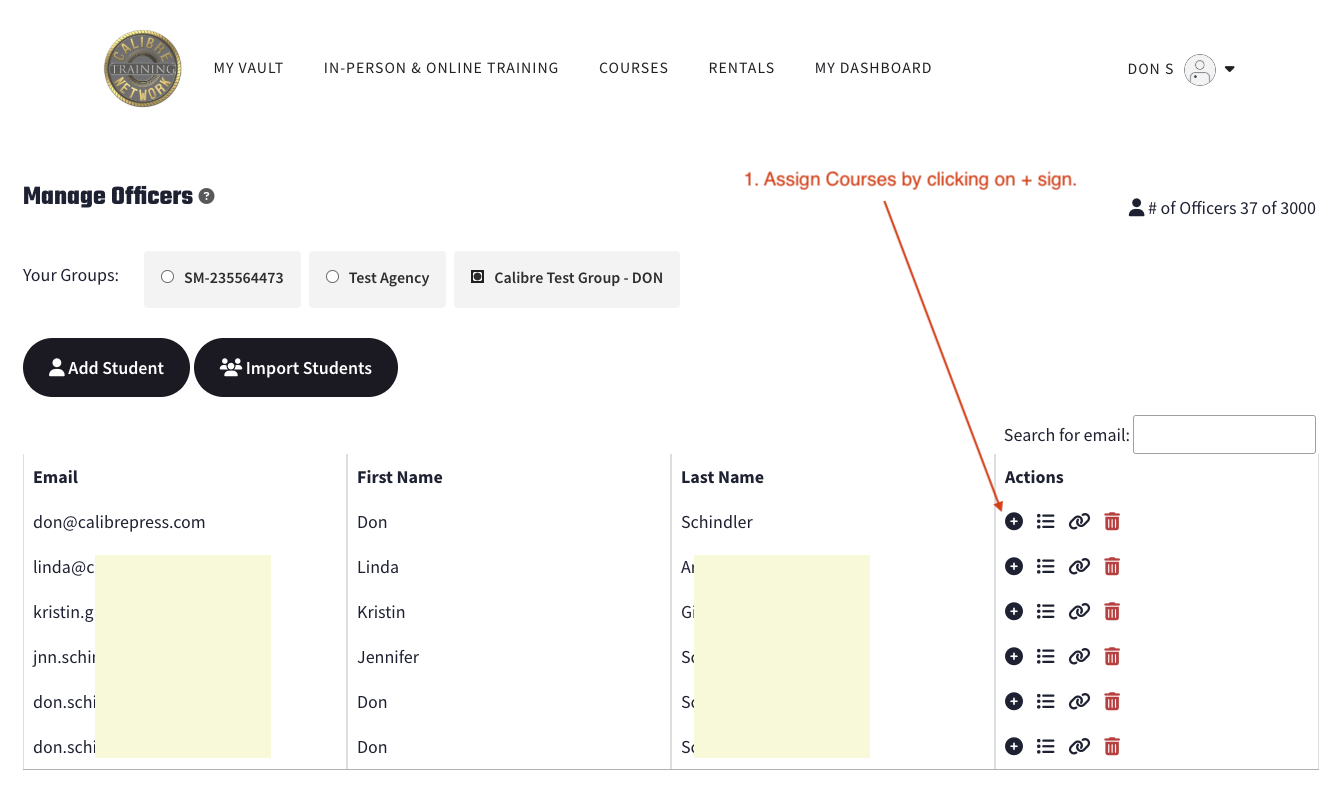
2. Check the box on the video or courses you want to assign. There is a search button on the far right if you want to find a specific video or course.
3. Click "Add Selected".
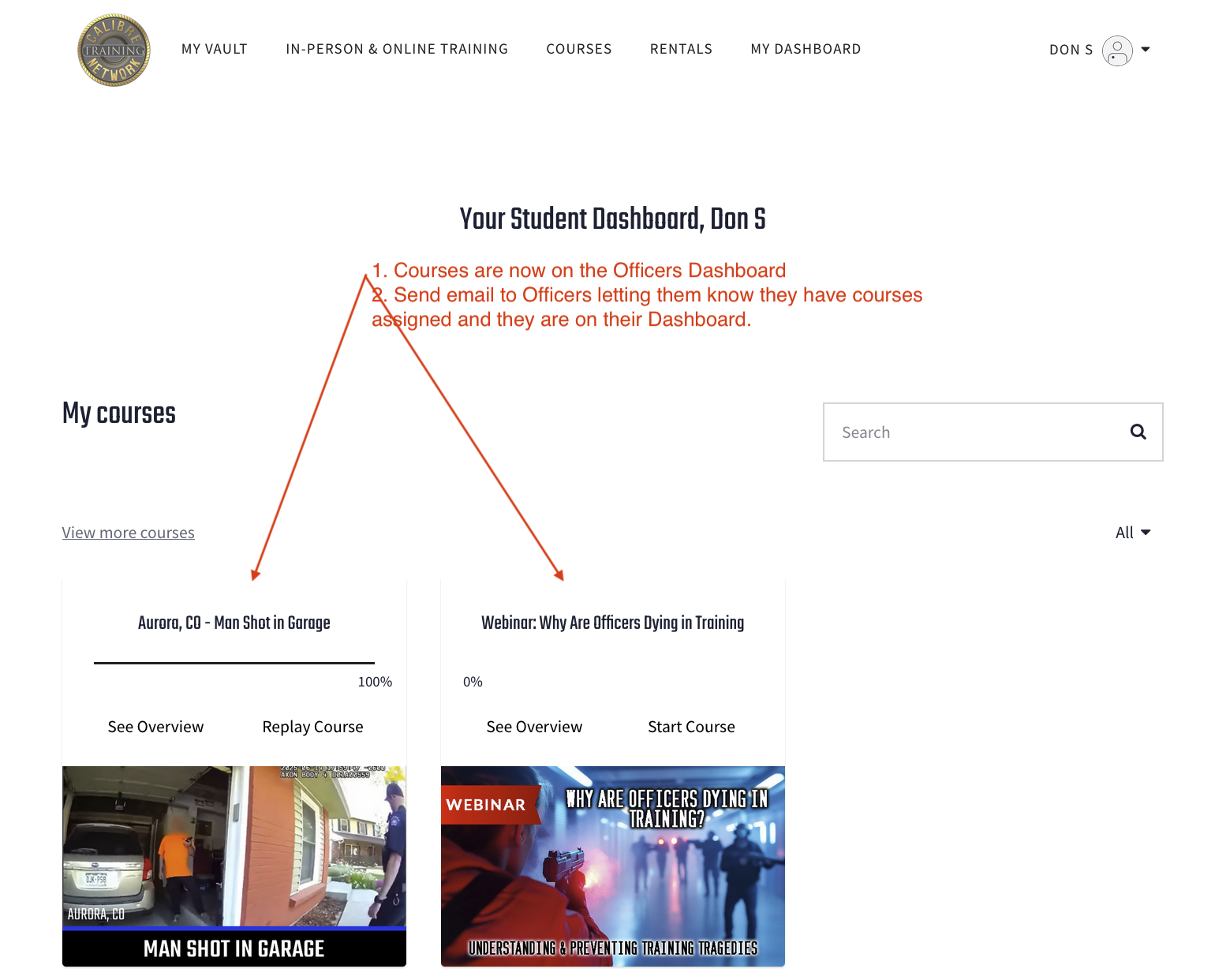
4. The videos or courses will be placed on the specific officers "My Dashboard" so they can view them.
If you have issues or need any help, please email us.
How Do I Send A New Activation Link To An Officer?
1. Click on "My Dashboard".
2. Click on "Manage My Officers".
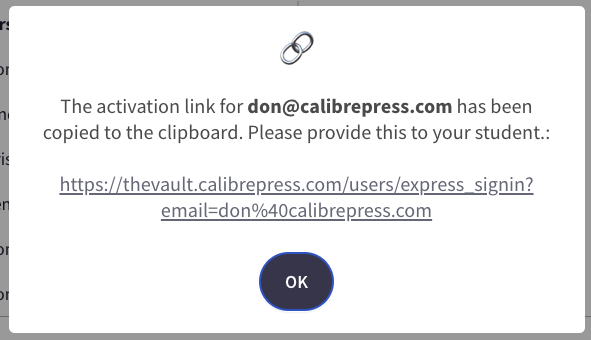
3. Click on the "Link" icon of the officer that you want to activate. It will generate a pop-up link to copy.
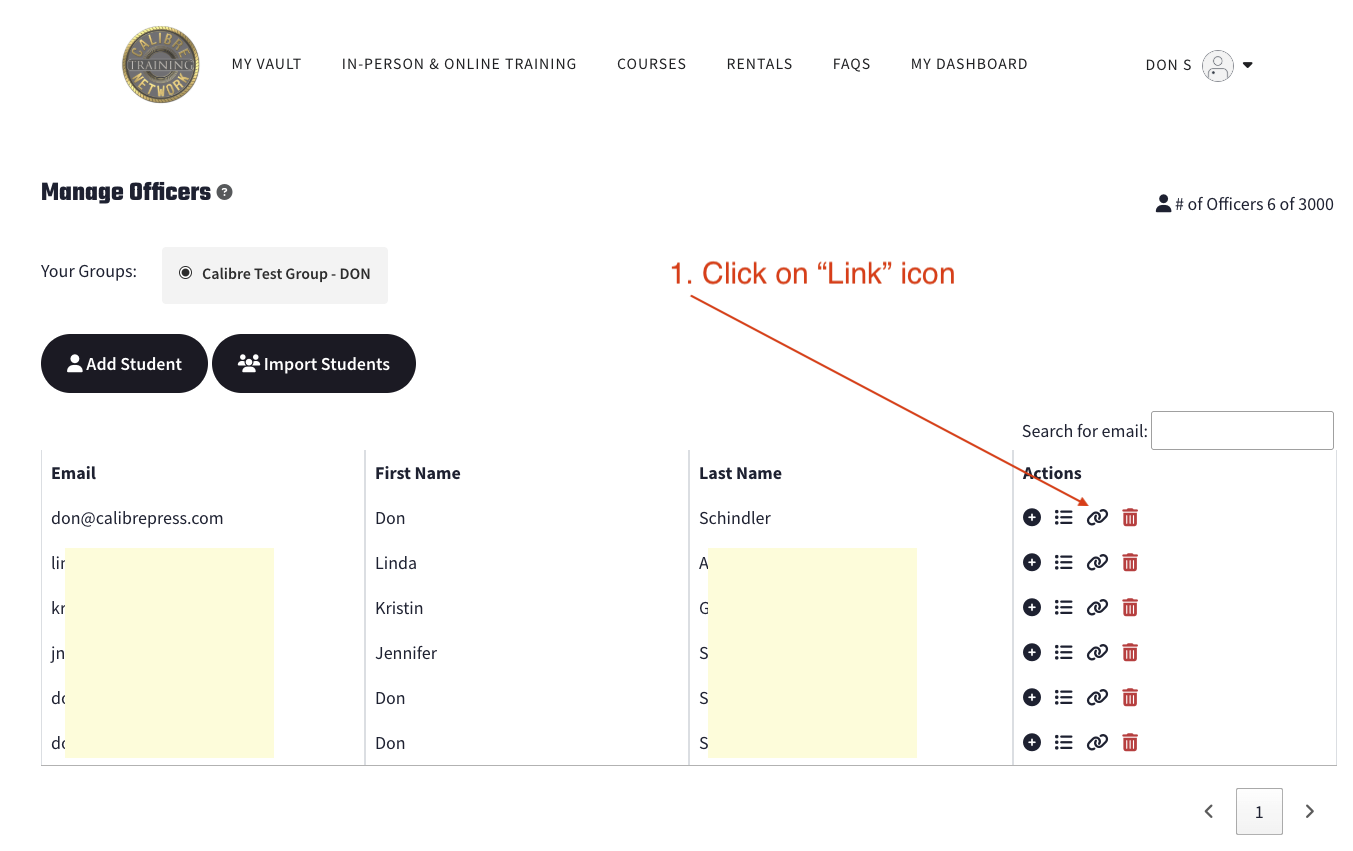
4. Copy the link and send/email it to the officer.